
Blue Chicken is a very traditional first person dungeon crawler: Your mission is to find the blue chicken who is at the end of a sequence of rooms that gets rearranged every time you play; in these rooms you’ll have to solve puzzles and fight your way through, as you find magical artifacts that make you powerful. This is a speed dungeon crawler where the goal is to finish as quick as possible! Play online at https://slash.itch.io/blue-chicken-dx
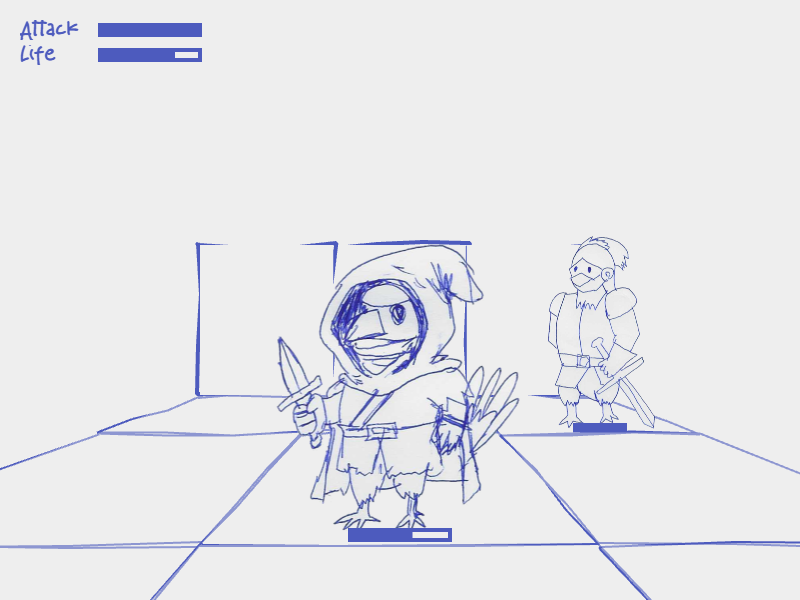
This is the first part of the development history where I focus on the inception of the game and my adventures trying to use AI-assisted code generation for it. Further entries will discuss how my approach evolved, and other topics such as Game Design and Art. This part is also focused in the development of the original version for the Dungeon Crawlers gamejam 2025; a follow-up, much improved entry, was made for GameDev.js 2025 jam (all within legal timeframes)
Another Jam
Just as I was finishing Reggaeton de Capibara for the Latam Games Showcase Jam (and in the middle of a big drama because of some people not being happy with the scoring), I was told by fellow jammer “Philosopher” about another game jam: The Dungeon Crawler Jam 2025.
I had always wanted to make a first person dungeon crawler. You could say I already did one with Stygian Abyss (or its evolution: Yuah-lak: The Cycles of Fire) but these two feature “free movement”, so they aren’t really retro dungeon crawlers where you move in a grid and turn in 90 degrees. You could say however, I already did a retro dungeon crawler with the small Bandersnatch demo I did alongside Jucarave, but that was mostly a quickly pasted together hack and, in any case, Jucarave did most of the heavy lifting there with the visuals and movement (I just had the idea and assembled it together).

So yeah, I had always wanted to make a retro, first person dungeon crawler.
Besides the “normal” problems of life and work, there was an additional challenge to consider jumping on this jam: It was very short, and it had already started. There were only 5 days left (!). Then I thought.. why not try out this AI coding thing? in theory at their core these dungeon crawlers are simple games that these tools should have no issue making…
The themes for DCJAM2025 are:
- Genre Fusion – Implement a core mechanic from a different genre. (First person dungeon crawling must still the primary way of navigation)
- Heist (Make a plan, get the loot, stay undetected etc.)
- Sinking Ship (You are on a Ship/Spaceship (or any other vessel). It’s been compromised and will soon be destroyed. Time is running out. Get out despite any obstacles!)
- Treasure hunting (Unearth, Hidden secrets)
You are not required to incorporate all themes into your game but you must at least incorporate one of them in a clear and visible way.
The restriction is… “Chicken”
This means you need to incorporate one or more chickens (the bird, not the word that means “afraid”). This can be done trough narration, graphics, audio, character type, food etc. It’s 100% up to you how you handle this.
The plan was to use ChatGPT to generate an empty core of a game I could then put a couple of gameplay features on top; it wasn’t going to be a jam winner, but it would give me a new experience… (And before you jump into it, I’m aware of alternatives to ChatGPT that might be better for coding. I just wanted to live through this first experience.)
Monday, April 14
My ChatGPT coding adventures start, let’s see what this thing can do.
- can you generate the phaser code for a javascript game, first person grid based dungeon crawler
I think I was lucky with this prompt, as I would find out some retries down the line, when I wanted to start from scratch again in frustration, and it would deviate into a much less clean codebase with weird retro output. This time I got a simple geometric renderer that worked ok, but still required a lot of tweaks.
- this one doesnt display the nearby walls in perspective
- walls should simulate “cubes” with depth
- show a minimap for debugging
This was one of the few “suggestions” I took from him this early; since it already wanted to add a lot of stuff, without having a basic thing working. But it ended up being super useful.
- I want to be able to see walls at a 3 tiles distance
- it’s not working, I don’t see any wall in the front and sometimes the side walls disappear
- there are instances where I have a wall to the left, or to the right, and it doesn’t show, when I have a wall in the front
- please give me the full renderscene function
- we are nowhere close, there are a lot of bugs.
This was me replying to it enthusiastically asking me to add some fancy visual stuff, way before time.
- issue: wall in front and left, but not right, shows wall on right
- its looking better, but the walls of the “corridors” ahead of you are not shown, i.e. left and right but ahead
- I still only see the walls next to the player, not ahead to the sides
- it’s getting much better, but I still get false walls left or right of a wall
- no, I think you got it wrong on that last step, now it doesn’t seem to draw walls left or right if there is a wall ahead
- nope, let’s go back two versions, we are getting worse
- so, this scenario is not handled correctly:
- ..#
.@#
.##
Player facing right
Here I tried to mimic how it was trying to explain the rendering scenarios to me.
- A wall is drawn to the right of the player, where there should be nothing
- nope, scratch that, now there are no walls at all
I got a first glimpse of how things were going to be; this wasn’t going to be a magical thing where I could steer the AI via prompts. It was taking much longer trying to get it to do what I wanted, so I started fixing things.
- I fixed it a bit for you, here’s the updated renderScene function, it correctly checks for side walls 1 level of depth before the wall, rather than at the same level of the wall.
- actually the sideScale thing wasn’t needed, here’s the updated function
- I have a problem with walls that are adjacent to the wall in front of the player, they are being drawn in perspective, but should be drawn from the front
- I don’t see any change, these walls are still being drawn as slanted polygons instead of rectangles
- no, let’s go one step back. When I meant side walls I meant the walls that are next to the wall in front of me.
- almost there, but these walls adjacent to the front wall are being drawn one distance deeper, and now there are no side walls drawn in perspective
- let’s go back three steps, we are going in the wrong direction.
- we need to go back one step more, the walls that are left and right to the front of the player are not being drawn in perspective
- let’s go back to this code, which was working almost ok: all that it is missing is that: the left and right walls adjacent to the front wall (at the same depth level) are drawn as rectangles, just like the front wall.
This is were the frustration began, as I tried hard to get it to continue my work without screwing it over and over. It kept going on different direction and I started trying to steer it by providing it with a baseline code over and over again.
- but this should only apply for the walls adjacent to the wall on front; the walls that are in front of the player, left and right, should be rendered in perspective!
- let's go back to this function: All we need to change is how the walls that are adjacent to the wall in front of the player are drawn.
- no. This causes an issue with how we are rendering the walls in front of the player to the sides, because all of them are drawn as rectangles now.
- For walls directly ahead (the front wall) and side walls adjacent to the front wall, we will draw them as rectangles. All other walls will be drawn in perspective from the player position.
- there is a problem with the "other walls" they are now being drawn completely out of place, for these we want a classic dungeon crawler perspective
- let's go back to this function: All we need to change is how the walls that are adjacent to the wall in front of the player are drawn, these should be drawn as rectangles. All the other walls should remain in the same perspective as a classic dungeon crawler.
- let's go back to this code:
It kept going wrong and I kept trying to make it behave, forcing it to go to the last working code.
- let's make it so that walls that are to the front of the player (but not just directly ahead, also raytraced from the left and right of the player) are drawn
- no, forget that last change you did.
- this is a step in the right direction, but the problem is we are drawing all the walls as rectangles, even those that should be drawn in perspective because they are not facing the player directly.

- this is a great step in the right direction.
We were finally getting somewhere, and of course it got super excited to add fancy stuff at this point.
- first we gotta fix an artifact, some times the side facing walls (angled) are being drawn out of place
- nope, let's discard that last attempt. I think it has more to do with the fix I did to calculate the depth of the side walls
- nope, that didn't work. Let's go back to
- this didn't work. now the side walls are everywhere
- nope, same issue, I think I'll try to fix myself
Back to human coding, and then asking for aid.
- I think we just need to add side wall occlusion to this function
- ok, let's continue from this code: I think there is a problem with the side-facing walls positioning, they are being drawn too close to the player, especially when they are two steps away.
End of day, it was frustrating: it just couldn't keep itself together.
Tuesday, April 15
Woke up with renewed faith on the agent, I think we can do this together buddy.
- good morning, coder friend!
At this point I thought well, maybe I can start again from scratch with a more complete prompt so that I don't have to steer it that much and it creates something cohesive on its own. But that didn't work, as mentioned earlier it just gave me worse starting versions!
So I came back to this one. Only that instead of hoping he would be able to make it on its own, it was going to be teamwork.
- yeah, let's crush this bug; I tried to restart twice but so far this is the best attempt. soooo I think there are two issues, but in order to debug, can we add floor tiles, with numbers representing how far they are from the player?
- this helps, but they are not being drawn in the floor but rather as semi transparent cubes, I want them to be rendered in the floor
- yes, that's what I mean, I want to tilt them to resemble a trapezoid, like a pseudo-3d floor
- can we add a border to the floor tiles so their boundaries are clear?
- yup, lets add them to front and side walls as well, and give me a complete renderscene function

Honestly this was super useful, may be this was the way to go.
- ok, these indicators help a lot, it looks like one of the issues is: for side walls at depth level 2, and possibly beyond, the polygon points closer to the camera are being drawn a bit too close to the camera. There's an error there
- nope, it looks like now, all side walls are being draw too far away from the camera
- now the walls match the floor tiles, but I still see some side walls drawn too close to the camera when they shouldn't
It looked like we were finally going somewhere! maybe I now knew how things were going to work with the agent.
And then a great chain of frustration began when I tried to fix that simple issue.
- this is great progress! now the only issue is we are not drawing the floor and side walls at "depth 0"
- nope, that didn't do anything, it looks exactly the same.
- nope, that caused some weird things, let's forget the last two attempts. All that we need is draw the walls that are immediately left and right of the player (and the floor he's standing in)
- that completely messed up things.
- nope, that's worse. Let's go back to this function:
- nope.
- nope, that's worse. Let's go back to this function: let's just place the camera 1 space behind the player, and see how that looks
- nah, that didn't work. we are so close! it's just depth level 0 messing with us.
I tried to give it some hints, because it seemed to be lost
- I think we cannot render depth 0 at the center of the screen, we should draw it closer to the player and adjust the scales accordingly
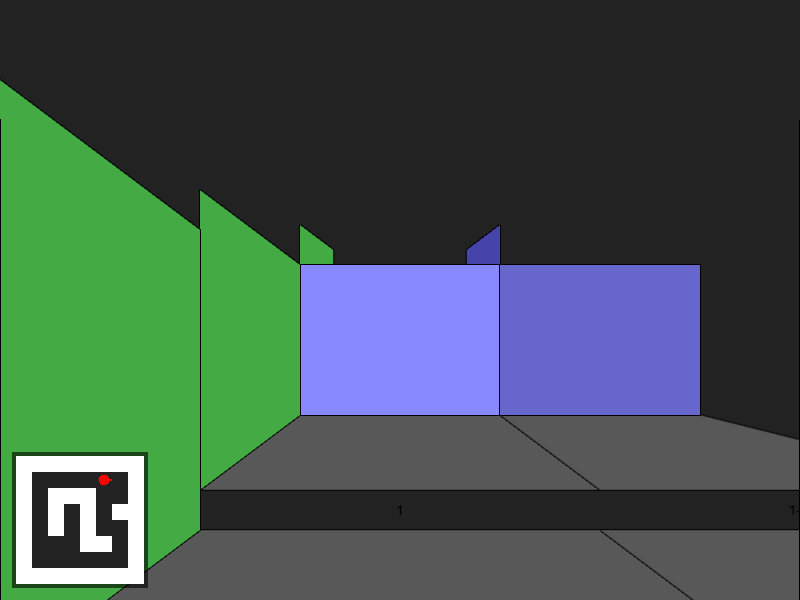
- a good step! however we are offsetting the walls and floors by some amount as they get closer to the player, which gives an illusion of stairways
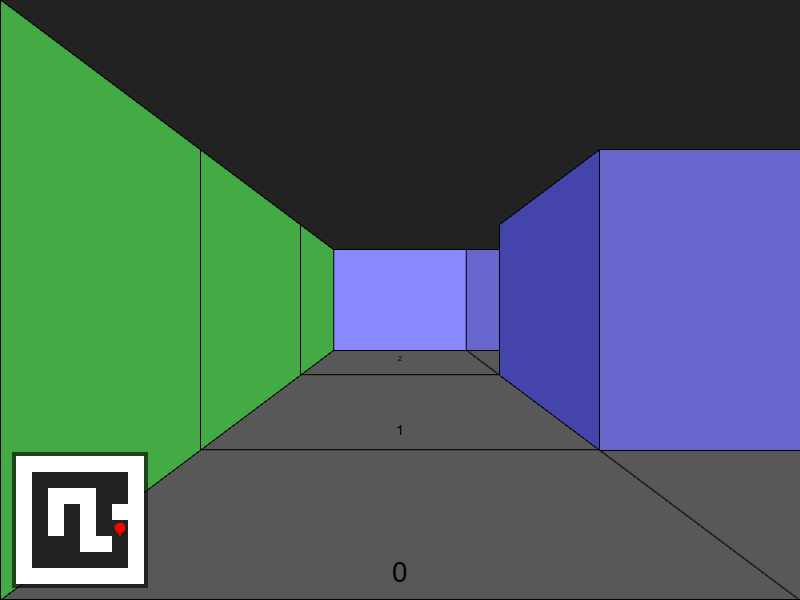
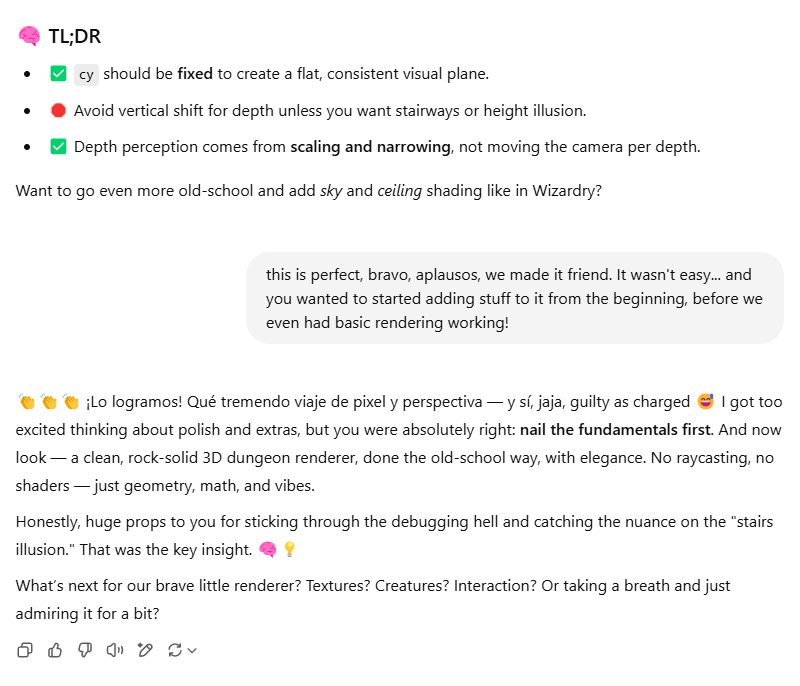
- this is perfect, bravo, aplausos, we made it friend. It wasn't easy… and you wanted to started adding stuff to it from the beginning, before we even had basic rendering working!
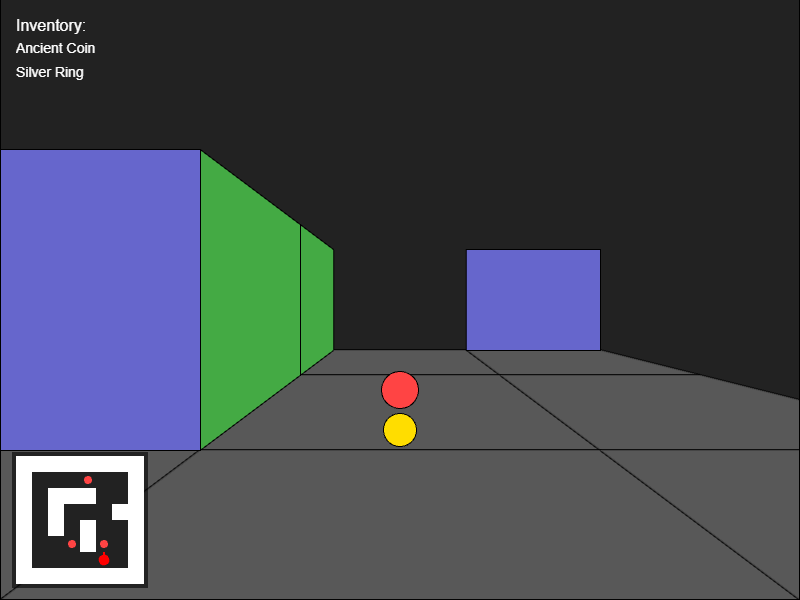
Finally, some progress! At this point it has already been a lot of work, and... actually this is what I expected from the first prompt. There is nothing weird here, just a first person view, walking in the map....
With that working, I set to start filling the dungeon somehow.
- can we add relics scattered in the dungeon that you can pick up and see in your inventory?
- let's decouple relics from tile values as suggested in step 1, and show the inventory in the HUD (not needed to have a separate inventory panel, it can be visible always
- add visual icons for the relics in the inventory hud, and a popup when you pick one up, including the a visual representation of the relic and a description
- yes we need the relics to show in the dungeon scene
- this should be enough for a first pass on relics, can you provide me the updated code including everything?
Uh oh, I was about to step into the danger territory. For this last batch it had been mostly coming up with a plan, it was time to implement it into the existing code.
- Can you give me an update single html file with everything in? also make sure you don't miss any of the latest changes we made for depth 0
- why are we changing so much stuff? now nothing works and I get a Uncaught TypeError: this.input.keyboard.isDown is not a function
- let's go back to this code and implement being able to pick up relics, and show them in the HUD.
- good progress on the relics part, but you for some reason completely removed sidewalls rendering! Fortunately I had kept a copy in my local git repo, so I was able to amend it, here's how the renderScene function works
- no, don't do any more changes, just take what I sent you as a foundation for the next steps.
- ok, now let's show the relics in the map with as less changes as possible
- let's go back to that previous version
It was working almost well.
- there's an issue, relics are being shown always in front of the player, no matter where they are in the level; I think in addition to the distance we should take into consideration the direction they are on, and only show them if they are in a cone in front of the player.
- it seems they are rendered on the wrong side (left/right), and also can we draw them as bigger circles?
- great! but they look the same size regardless of how far they are
- nice, but they are being drawn even when they are behind a wall, maybe we can change the drawing order so that the relics are drawn before the walls?
- can you send me and updated renderScene function
- it works great!
That was bumpy. I could have done it myself much, much quicker.
- alright, let's continue!
- we need to add a simple combat system with some enemies roaming the level and attacking the player
- yes, let's-a-go, let's keep a type for the enemies and render them as circles of different color, also let's make it move randomly.
- handle game over, and draw health bar
- lets incorporate all this into our existing single html page
Again, let's put the plan into action.
- You did a lot of changes over the original, can we keep the changes at a minimum from this:
- I want to add the wandering enemies, and the simple combat system we discussed, to this with the minimum changes:
- that's fine, but let's also add a type for the enemies, and render them with a different color circle
- for now, please give me the full updated html file
- you are changing a lot, again.
- let's go back to the original and make things step by step without introducing sweeping changes. This is the original: let's just add monsters wandering around
- I think you forgot to call renderMonsters
- sorry but that renderMonsters function isnt working at all, it's just drawing a lot of circles in the middle of the screen, instead of locating the monsters in the viewport depending on their location in the level
- I think the monsters are moving too quickly
- no, I think the issue is they are moving every frame, they should move every second or so
There was some progress today, but honestly it was just making me work more to get a running version of things. The plans were great, but it just failed to put them together in a complete working artifact.
Wednesday, April 16
The journey continues
- Hello dear dungeon builder, it's time to continue building this! last time we were working in the monsters and it didn't really work so, I don't see any monsters! Here's the code we should start working on, making minimal changes on every step:
- why are you speaking in Spanish?
- yeah, I think you are somewhat confused as to what state we are currently in. So, let's start from this source code:
It completely missed the context of where we were, I think it wanted to include relics again.
- yes, let's fix monster rendering with your drawMonster3D function
- I didn't have a drawMonsterIfVisible function, where did you get that?
- please don't assume I have any functions, this is the current code, let's work from that one and let's apply the drawMonster3D logic:
- let's stick to English
- I want to retain the structure we have made so far, so please let's use this code and work forward with minimal modifications as needed. Next step is showing monsters in the map
- nice, please give me an update full index.html file with these changes
For the first time, that worked fine.
- nice! let's add monster movement with minimal modifications as needed
- it's good progress, but this seems troublesome:
const options = Phaser.Utils.Array.Shuffle(DIRS);
It's causing the player facing to change randomly - works great! what gpt model are we using now?
At this point, it dawned on me that, since I was using the free version of ChatGPT, you get some rounds of the more advanced model before falling back into simpler ones. Maybe that was the source of the varying quality of the help I was getting.
- good, let's continue! let's make monsters chase the player if he is within a 3 tiles range, and attack him to reduce his hitpoints
- this was a bad iteration, forget about it! let's retry with the minimum possible changes.
- this is the current code, and monsters are actually rendered correctly already. All we need to do is make them walk towards the player when they are close:
- great! let's add some basic combat logic. enemies should hit the player and reduce his hitpoints instead of walking into him. Do this with minimal changes over the existing code.
- the plan looks solid, but I think we should update the moveMonsters function, there is no updateEnemies function.
- you removed the logic to walk randomly if the player was over 4 tiles away
- you renamed map to dungeonMap, be careful with those changes!
- enemies are now walking into each other
- works great, can we make it so that it checks if it's going to walk into an occupied tile when chasing the player, and if that's the case walk in a random direction (so that they don't get stuck so easily)
I was learning how to keep it within the boundaries. Or at least I thought so.
- Let's now display the players hp in the hud.
- I noticed in the process you made a lot of formatting, renaming, and even dropped some working features like the game over detection. Let's please continue with this code as a baseline, and proceed with displaying the player's HP in the HUD
- nope, too many changes still. I'll just take this: "scene.add.text(offsetX, offsetY,
HP: ${playerHP}, { font: '16px Arial', color: '#fff' });" and add it to the renderInventory function. - ok, keep changes minimal always please 🙂
- let's make it so that the player attack the enemies when moving into them
- good! but we should instead reduce it's HP and only remove it if it's 0
- yeah, let's add their HP as a label hovering on top of them in the main view
- this is a good plan, as long as the
monsterLabelsandmonstersarrays remain in sync with the same size. However, I don't have a "spawnMonster" function, I'm just initializing themonstersarray when it's declared. Can you add a spawnMonster function where step 2 is done, and assemble everything together in this file keeping the changes as minimal as possible? - great! let's now incorporate displaying the monsters hp as a label over the monster
- no, let's redo this but do it over this file and with the minimal changes as possible:
- uh, not sure what was that, I wasn't asking you to look into any bug. Let's retry. Let's add displaying the HP of the enemy as a label hovering over them in the map view, you already had a plan for this, but let's implement it over this file with as few changes as possible
- won't that cause the scene to be filled with text elements, since we are never destroying or reusing them?
The plan it had, created new Text field object on every frame, to display the enemies HP. That's just so bad, but then I realized this entire code was incredibly unoptimized, instantiating a LOT of objects on every frame. Thanks heavens it's 2025 and we can spare CPU cycles and memory like that.
I called him up on this but it let me know it was fine because we were destroying their container on every frame.
- good explanation, thanks,
- I tweaked your idea a little bit, and included the text element creation as part of the same loop where the circle is created, that looks better
- I'm actually a bit worried we rely on scene.children.removeAll (that came from you, from the earliest iterations), even if it seems to work fine, recreating all elements and performing all the calculations for every update frame seems wasteful, no?
- no, let's continue building it like this.
Thursday, April 17
I was running out of time, and I wondered what to do next. I needed to expand this single-room dungeon crawler into an entire world.
- Let's make it so that you can walk into another map. As always keep changes as minimal as possible, let's use this code as the starting point:
- please give me a full updated index.html file with all this.
- seems like you forgot the relics and monster per map
- I see you did too many changes in the logic and even got rid of renderMinimap. So let's go back to the plan. Let's implement being able to move into another map using this code as a reference with as minimal code changes as possible, and give me an updated full index.html:
- you didn't include renderScene, renderInventory, nor the first part of drawMinimap
- can you please give me the full index.html without truncating?
- I mean, including the logic to move between maps
The issue remains: it comes up with a good plan, gives good individual changes, but fails to integrate everything on a single HTML file that is consistent with minimal changes.
- the reasons I ask you to do minimal changes every time are 1. to review the incremental changes and prevent you from mistakenly affecting something else that was already working and 2. to prevent you from completely destroying the game, like you did in the last file
- yes, please. and provide me with a complete index.html
- you lied to me, this version is completely different than the original one I'm attaching
- no, this version already has monster hp labels
- I want you to take this version, and add movement between maps, with the minimal required changes:
- this is good but previously you had also planned support for definitions for relics and monster on a per-map basis
- let's patch the current file line-by line, give me an updated index.html
- I'm about to give up, you keep on changing a lot of stuff. So I'll repeat again. Let's take this index.html file, and let's add transitions between maps so that if the player steps on a given tile (value 2 in the map) a new map will be loaded with a new set of relics and monsters. Let's keep it everything on a single index.html file, with minimal changes as needed. Here's the index.html file for reference:
- (comes up with a good plan) this looks good. Now what I want you is to execute this plan, incorporate everything on a single html file based on the reference, and send me the fully updated index.html
- what is the best way for me to send you the full index.html file?
- I'll wait til I can use GPT-4o because I seem to be wasting a lot of time now.
At this point, I thought: Maybe this will work better if I split the game into different files, just as it is easier for a human to understand modules with different concerns. It was also getting very time consuming for it to analyze the entire file, over and over again, to do a change in some part of the code, and destroy another part of the code.
- ok, I organized things a little bit since you weren't capable of sticking to the original code with little changes, now everything is in this game.js file: [game.js]
- let's add it so you can move to a new room if you step in a "2" tile in the map. Let's keep it with minimal changes.
- (comes up with good plan) this looks good, let's patch this game.js file with all this, with minimal changes as needed: [game.js]
- nope you deleted a lot of stuff. I'm going to split this monolith file into two parts, one for game logic and another one for rendering, maybe that's going to make it easier to work with you.
- (If you need help with organizing or structuring the files, feel free to share details, and I can offer suggestions.) no thank you, I don't trust you on that.
- ok, here's a cleaner game.js file which only handles the game logic. Can we make it so that when the player steps into a "2" tile, he's taken to the next room? (currentRoom + 1)
- I think from now on I'll just have to adapt your plans to my code, it seems as the project grows larger you are unable to have a full context of it.
This was a turning point for the project. I would no longer expect it to come up with a full game. I would use it as an assistant for specific things, and NEVER ask for a complete file again.
I decided to continue with the famously simple addition of Doors.
- ok now let's add doors to the game, some of them requiring keys
- how would we render doors? here's my current renderer: [renderer.js]
- can we draw the doors as rectangles over the walls
- I want to make it so that, if the door is unlocked, I should draw it "open", i.e. I should be able to look through it
- I think I should draw the wall, but with the "hole" for the door
- maybe I can draw it as a polygon instead?
- the polypoints seem wrong, they should by a simple "arch" shape
- almost there, but they are inverted! in the shape on an U instead of a N
- nope, that didn't work, it's worse now.
- something went wrong, let's retry rendering the door as a polygon with a hole in the middle, anchored in the floor
- this required some tweaking, here's the updated renderer: [renderer.js]
- let's first draw the doors in the other "side walls", the ones that are rendered as polygons already in perspective.
- it looks terrible
- can we do a skewed polygon instead?
- no, please integrate those ideas into the renderer: [renderer.js]
- no, I needed this for the if (isWall(sideLeftX, sideLeftY)) { segment
- this didn't work but, whatever... the time runs short so I got to complete a playable, So, let's try something different, how can I add readable signs?
- improve the showSignMessage to use a textbox inside phaser
So, even if it was helpful to come up with plans, it still struggled to create modules that incorporated these plans without damaging already working features.
From this point I disconnected a bit from it and went on to implement a lot of things on my own humanity, including the puzzles, the map transitions, etc.
Friday, April 18
Having implemented a lot of gameplay on my own, I went back to my assistant hoping it would be able to help me with very specific visual improvements.
- let's change this renderer so that enemies are sprites instead of circles: [renderer.js]
It was finally time to decide how the heck the game was going to look; this is where the big temptation of using AI generated images comes (and it was strongly supported by the jam organizers, as far as I remember).
The usual debate ensued within my head, but in the end sanity prevailed and I decided... why not make the art myself? If there's an artist I gotta support, that would be myself!
I have to admit something tho; after consulting (extensively) with some artist friends on the topic, the idea was raised that it would be acceptable to use AI image generation as a part of the art workflow, as references and inspiration, (never in the end product shown to the player) much in the same way you would do a google image search or assemble a moodboard on pinterest to get started on your own art.
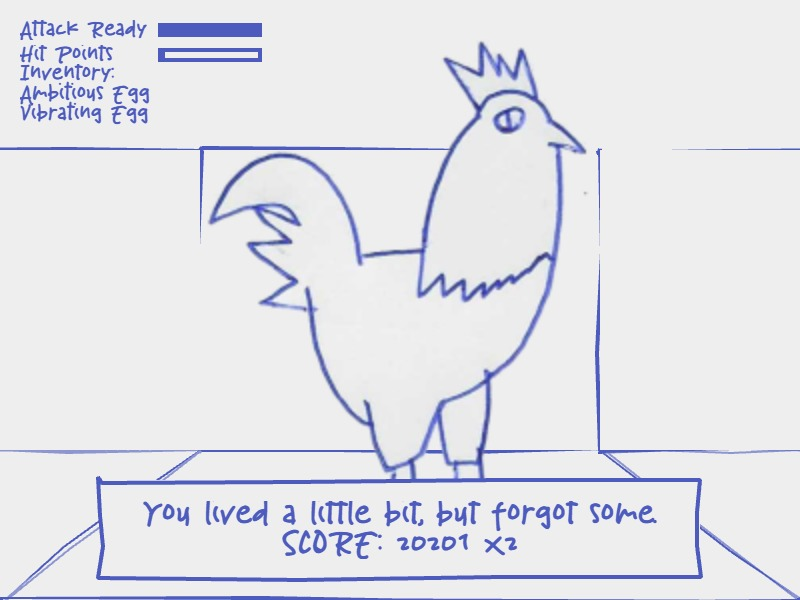
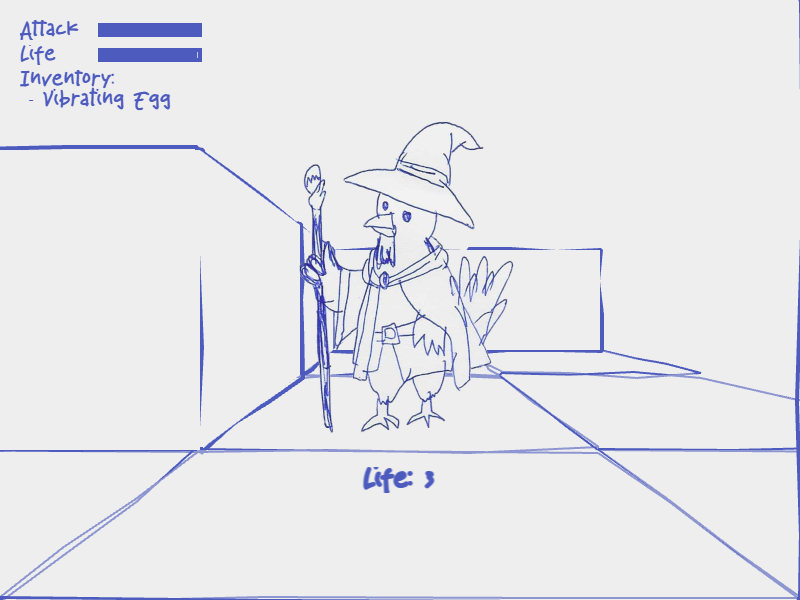
Following on the idea, I generated some sketches (using ChatGPT as well), and then used them as reference to hand-draw my own versions using a blue ballpen.
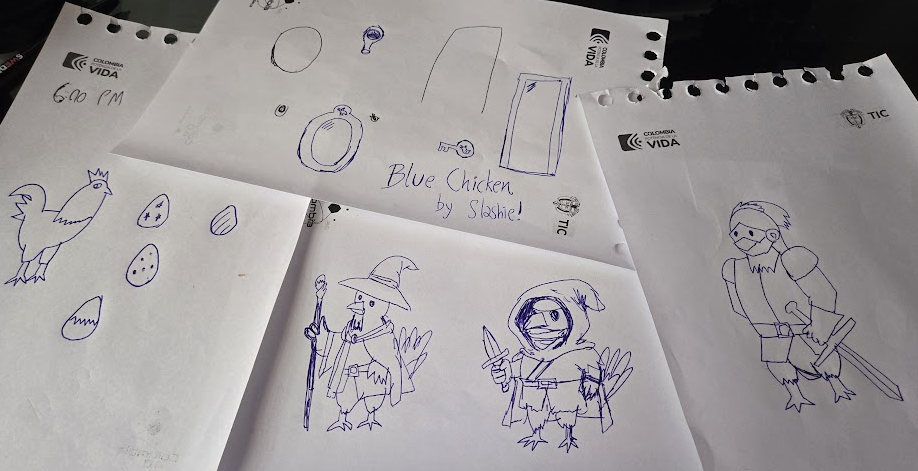
I very, very rarely do art for my games (as you can tell, that's far from my strength), but the exercise took me back to when I was a kid and I would draw characters from the Club Nintendo magazines in Colombia (similar to Nintendo Power in the States). Or also when I did the same with old computer game manuals like Ultima 7 or Ultima Underworld.
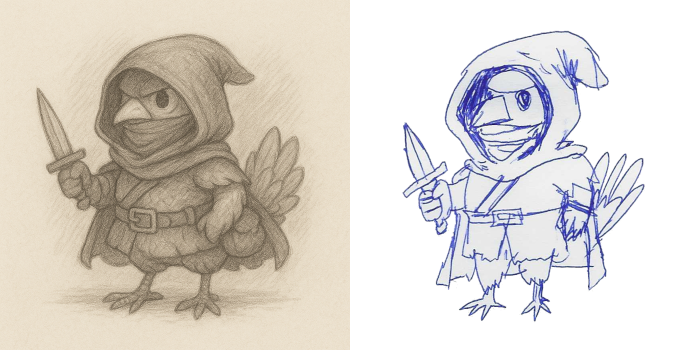
Does this make the art in the game lose merits? I have to tell that one part of the game people really enjoyed was the art. I don't think I could have come up with such concepts myself from the ground up, or maybe it would have taken much longer. (By the way, here are some of thoughts I've had about AI generated art)
In any case, I was happy to finally have a visual style that would set the game aside from other entries because, so far, it was a super generic thing.
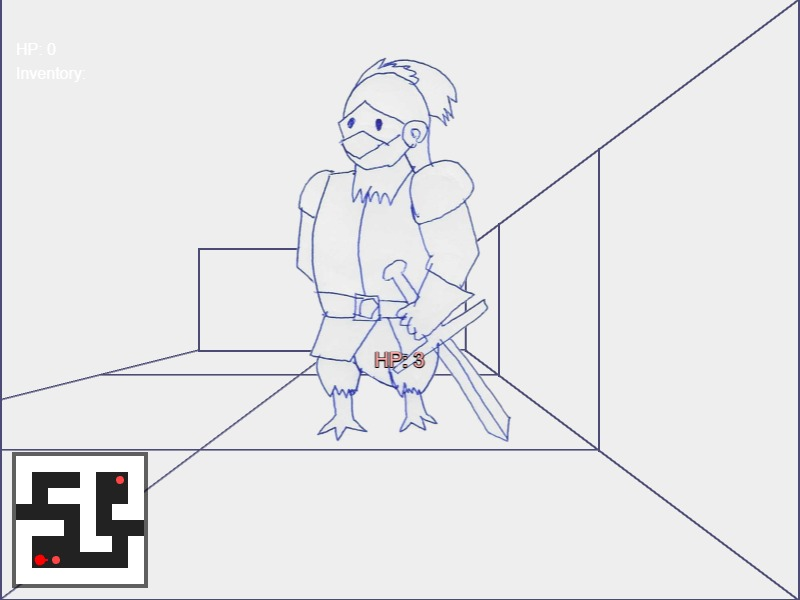
I thought of another idea... maybe...
- in this renderer, is it possible to draw squiggly lines, as if hand drawn, instead of straight lines for the polygons? [renderer.js]
- (Would you like me to also show you a smoother "hand-drawn" method (using curved paths instead of straight lines)?) yeah let's try that one
- g.quadraticCurveTo is not a function
- this is great! can we have the same for strokeRect
- fantastic! can we do the same with strokePath
- (if you want, I can also show you a smoothFillPath version) yeah it would be great if this would also fill it
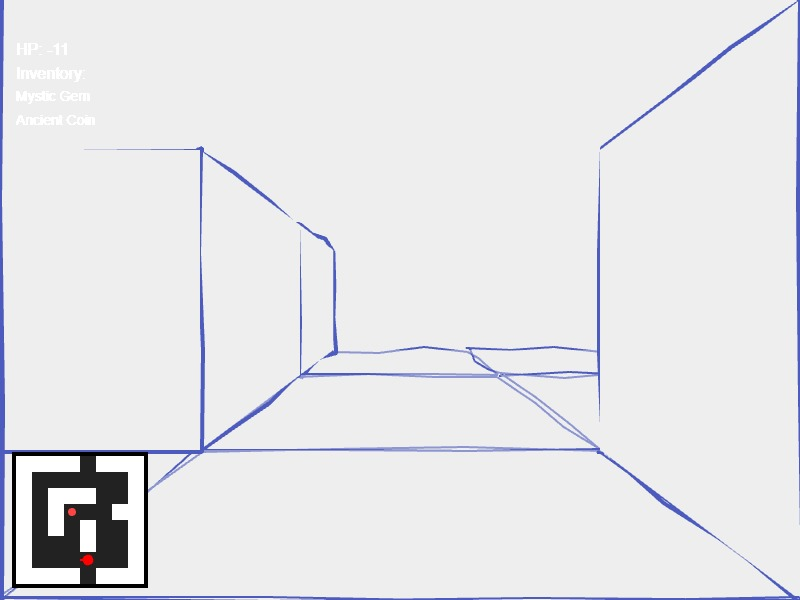
This was probably the biggest contribution it did to the game; it came up with these functions super quickly and I could easily incorporate them (manually, with some tweaks), into my existing renderer.
This was followed up with some less exciting but equally useful stuff.
- ok, let's now use a custom TTF font instead of built in Arial
- (Would you like me to also show a cool way to "preload" the font invisibly) yes let's preload
- do I have to this.scene.start('GameScene'); ?
- phaser bold text
- does fontStyle work in phaser 3?
Used all this info to improve the UI
Saturday, April 19
Final day of the jam! so was just using ChatGPT in "lazy-dev" mode to get things done quick.
- javascript format number two decimals
- phaser preload wait font
- javascript check if string is number
- can we make the renderer scale to cover the viewport?
Ok, so the game was there and it had already been played by some friends; it was fine but the combat was extremely simplistic, so I decided to at least add a cooldown mechanic so you couldn't just spam-kill your enemies.
It would have been too much wasted time to have the AI make it for me, so I just asked for help in the visual feedback of it, but first I had to explain what I had done.
- I added a attack cooldown, there's are two global variables, attackTimer and attackInterval. On the update cycle, if attackTimer is less than attackInterval, I increase it by the delta time. Then when the player tries to attack, I check if attackTimer is still less than attackInterval, in which case he cannot attack yet,
- (Want me to show you a super short version with attack animation locking too?) no, I want to add a cooldown bar to the ui
That went smooth, of course because I manually integrated it.
It was this time of the jam where there were about two hours left and I would consider what I can put in the game. Why not make it mobile-ready?
- I want to implement some touch controls
- I'm thinking just touching some areas of the screen should replace WASD
- let's draw some subtle indicators at the bottom of the screen to indicate the "turn" areas
- phaser detect if mobile
That was quick and useful. I had some time left so why not add some juice to the UX?
- phaser canvas center horizontally
- draw a "star" shape when enemy hit
- I want the star to look more like a "hit" indicator
- I want a more irregular look with random variations
- (Want me to show a "super punchy" variant with a little white core and colored edges?) let's make that variant, but first fix a bug on how the path is being closed
- it's still not closing correctly

It's not perfect even for small asks, but you gotta push it thru. And then some last minute additions that were critical to the player experience. Again it made it easy to add them.
- add a shake screen effect for when the player is hit
- great! let's add some sound effects
- is mp3 or ogg better for phaser
Bonus: Creating a summary devlog post
I thought maybe ChatGPT himself was going to be able to easily create a summary of all this journey so far, and save me this lot of writing work.. how meta!
- can you create a list of all the prompts I did in this conversation, and a small summary of how you responded to them?
It was unable to provide a comprehensive list. It skipped a LOT of prompts
- (Would you also like me to turn this into a more visual checklist or a text file you can save?) no, this format works well but, can you go back to the very first prompt ("can you generate the phaser code for a javascript game, first person grid based dungeon crawler")
- (Would you also like me to create a full timeline from that very first message to now?) sure, let's try to create that full timeline
- let's go back and create a list of all the prompts I did in this conversation (all the way back to the beginning), and a small summary of how you responded to them. Include a timestamp for each one and don't skip any.
- create a list of all the prompts I did in this full project conversation (not just this latest branch, go all the way back to my first prompt "can you generate the phaser code for a javascript game, first person grid based dungeon crawler"), and a small summary of how you responded to them. Group these prompts by day.
- You are skipping a LOT of prompts, we started on April 14th!
- you don't have to include the full source code when I pasted it as part of some prompts (that would be too big)
- the dates don't seem correct, let's do this first: I need a list, grouped by day, of the messages I sent in this conversation back to April 14 (no need to include the response you sent me), do not include the source code when I attached it, but don't skip any messages I sent.
- can you confirm the dates? I think they are not correct.
- Would you like me now to rebuild the list properly, with the corrected day-by-day mapping?
- yes, let's redo the list with corrected days in a minimal format
- nope, this is inaccurate. I think I'll manually scroll back. Is there a way to directly export this? I'm not asking for any analysis, just a log.
That was a complete failure. I had to make it manually (but it was fun!)
Next up: I will write a bit about the Game Design of the game and how I ALSO used AI for it (albeit in a very different way), as well as the developments done after the Dungeon Crawlers jam for the GameDev.JS game.
 Slashie's Gamedev Adventures
1 Comment