
I investigated a little further and it seems my issue with gemini is: with the change from gemini CLI to antigravity CLI, a previously generous daily quota for Gemini Code Assist for Individuals (which I seemingly had been using so far) is now gone. The new weekly quota is just useless for real development. Interestingly, in my mind the useful quota I had was based on my paid Google Workspace subscription (which I have in order to have decent photo storage and my custom email address), but it seems that wasn’t the case, I was just using the normal free gemini?
I guess I’ll be getting a paid coding agent? not that I have any planned uses for it down the road. But if I do I wonder if I should pick claude, which has been better overall for mobile non-game projects, or give a try to gemini’s paid tier.
Anyways, for now I’ll be coding manually, as mankind did for centuries before the great awakening.
Today (June 20) I worked on further polishing the mobile experience, which included migrating the general tips out of the loading screen and into their own modal, and shortening them a little bit.
Talking about AI, I added a new concept for the title screen which, of course, we won’t be using in the final submission; I’m already talking with alcaraz to see if he’d be up to do it, or if we should seek a fourth party member. Or maybe we’ll just not have it. I’m also talking with my sister to see if she might be up for it. In any case it’s also now responsive to mobile

In more coding work, the biggest change was fixing the “travel book” interaction in mobile (that’s the new name for the “scrapbook”). Had to work around the scenario where, in the new layout, the book page and the camera roll overlap, so the logic to return photos to the camera roll was broken. I also fixed it to make it easier to scroll through many pictures in mobile without mistakenly dragging a photo out of the roll, using some responsive arrows that pop out as needed.
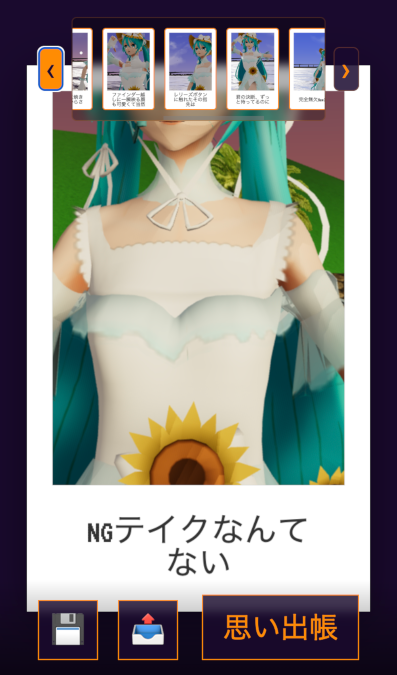
Some other smaller changes including making the settings button appear only during the main interaction, to clean up the HUD a bit in mobile. I also inadvertently screwed up the layout for Photo Review on desktop while I did the mobile changes… it’s tricky to keep them both tight.
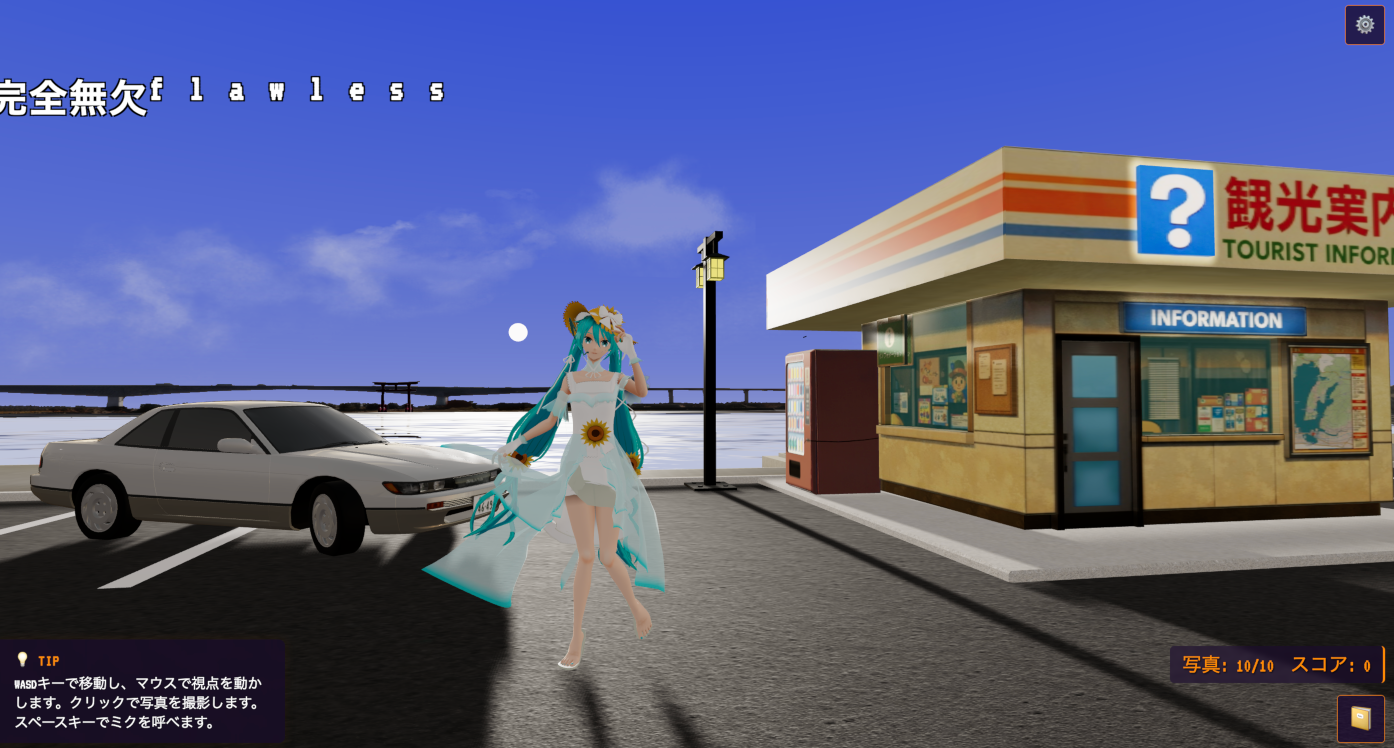
Finally, I integrated environment improvements by alcaraz which included a proper model for the Torii gate, and a great looking Tourist Info booth.
 Slashie's Gamedev Adventures